
WhatsApp & Conversational Marketing · CTWA Ads · 24 August 2026 · Harender Chaudhary · ~5 min read
How to Scale Lead Generation with Click-to-WhatsApp (CTWA) Ads: A Complete 2026 Blueprint
A complete 2026 guide to running high-converting Click-to-WhatsApp Ads. Learn step-by-step setup, qualification chatflows, and Meta CAPI integration.
View CTWA Ads product →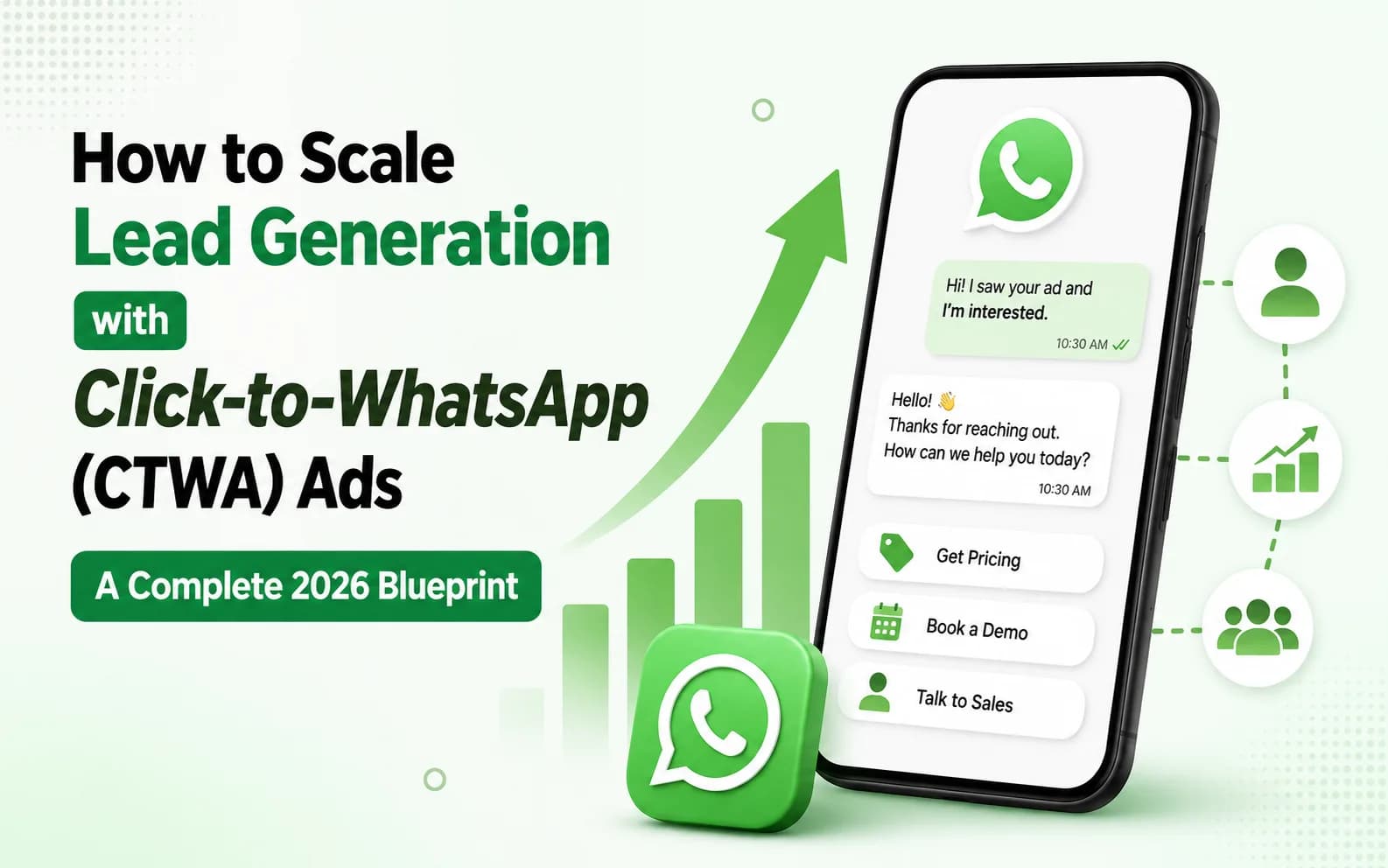
In today's fast-paced digital landscape, traditional lead generation funnels are losing momentum. Marketers spend thousands of dollars driving targeted traffic from Facebook and Instagram to landing pages, only to face high drop-off rates, poor form-fill conversions (often under 3–5%), and delayed sales follow-ups.
Consumers no longer want to fill out friction-heavy lead forms and wait 24 hours for an email or phone call. They expect instant, interactive communication on platforms they already open dozens of times a day.
This shift is why Click-to-WhatsApp (CTWA) Ads combined with WhatsApp Business API automation have become the single most effective channel for scaling B2B and D2C lead generation.
In this comprehensive guide, we’ll explore how CTWA ads work, why they outperform traditional landing pages, and how you can implement an automated framework to convert ad clicks into revenue.
What Are Click-to-WhatsApp (CTWA) Ads?
Click-to-WhatsApp (CTWA) ads are Meta ad placements—appearing across Facebook Feeds, Instagram Stories, Reels, and Marketplace—that feature a direct "Send Message" call-to-action (CTA).
Instead of redirecting users to an external website or landing page, tapping the ad opens a pre-populated chat thread directly inside the user's WhatsApp app.
[User Sees Meta Ad] ──> [Clicks "Send Message"] ──> [Instant WhatsApp Chat Opens]
The Difference: WhatsApp Business App vs. Enterprise WhatsApp API
While small businesses can run basic CTWA ads using the standard free WhatsApp Business App, scaling enterprise-level ad budgets requires the WhatsApp Business API (accessed via platforms like Azmarq).

Why CTWA Ads Deliver 3x Higher Conversion Rates
1. Zero Landing Page Friction
Eliminating the website load time removes bounce rates caused by slow hosting or poor mobile optimization. The conversation begins in less than a second.
2. Verified User Data
When a user initiates a chat, you automatically capture their verified phone number and WhatsApp display name. This completely eliminates fake emails or invalid phone numbers commonly entered on website lead forms.
3. Near-100% Open & Engagement Rates
Email marketing struggles with 15–20% open rates. WhatsApp boasts an average 98% open rate and 45–60% click-through rate, ensuring your automated follow-ups are actually seen.
4. Immediate Conversational Commerce
Instead of cold leads waiting hours for a callback, your automated sales flows greet prospects immediately while their purchase or inquiry intent is at its peak.
Step-by-Step Framework to Run High-Converting CTWA Campaigns
To turn raw traffic into qualified sales pipelines, follow this 4-step deployment framework:
Step 1: Craft Ad Creatives Focused on Instant Gratification
Your ad copy must clearly set the expectation that clicking will open a WhatsApp conversation.
- Good CTA: "Chat with us on WhatsApp for instant pricing & custom quotes."
- Bad CTA: "Learn More on our website."
- Visual Tip: Include WhatsApp branding cues (e.g., green accents or chat bubbles) in your image and video creatives to prime users for the experience.
Step 2: Build Interactive Qualification Chatflows
Once the user clicks the ad, an automated flow should instantly welcome them and collect key qualifications using interactive quick-reply buttons or list messages.
Example Lead Qualification Flow:
- Trigger: User sends pre-filled message: "Hi, I saw your ad on Instagram."
- Instant Bot Reply: "Hello [Name]! Thanks for reaching out to [Company]. How can we assist you today?"
- Option A: Get Product Pricing
- Option B: Book a Free Demo
- Option C: Speak to Sales Representative
- Data Collection: Ask 2–3 short questions (e.g., company size, budget, or preferred delivery date) using structured selection buttons.
Step 3: Route Qualified Leads via a Unified Inbox
Not every lead can or should be closed by an automated bot. When a user asks complex questions or tags themselves as a high-budget lead, your system should seamlessly transfer the thread to a human sales agent.
Using a platform like Azmarq’s Unified Inbox, your team can manage incoming WhatsApp leads from Meta ads alongside SMS and RCS messages in a single centralized dashboard, complete with SLA tracking and agent assignment rules.
Step 4: Automate Nurturing Drips for Undecided Leads
Not all prospects buy on day one. If a user drops off during the qualification flow, send automated drip follow-ups spaced strategically over 24 to 72 hours:
- 2 Hours Later: "Hi [Name], still looking for the demo details? Here’s a quick 2-minute overview video."
- 24 Hours Later: "Check out how similar businesses increased their pipeline by 40% using our platform."
Technical Setup & Policy Compliance Checklist
To ensure your campaigns run smoothly without Meta ad rejections or WhatsApp account flags, keep these best practices in mind:
- Obtain Explicit User Consent (Opt-in): Ensure your initial welcome message or ad messaging clearly states that the user is opting in to receive transactional and promotional updates via WhatsApp.
- Respect Data Privacy (DPDP & GDPR Compliance): Store lead data securely, encrypt sensitive details, and provide an easy opt-out keyword (e.g., "Reply STOP to unsubscribe").
- Set Up Meta Conversions API (CAPI): Connect your WhatsApp API platform back to Meta Ads Manager so Meta's algorithm can optimize ad delivery specifically for users who complete qualified conversations.
Key Metrics to Benchmark Your Success
Track these core metrics to calculate your true return on ad spend (ROAS):
- Cost Per Initiated Chat (CPIC): The ad spend divided by the number of unique users who start a WhatsApp conversation.
- Qualification Rate: The percentage of chats that complete your automated bot flow.
- Agent SLA (Response Time): The average time taken by human agents to respond when a bot hands off a live lead.
- Cost Per Qualified Lead (CPQL): The total expenditure divided by sales-ready leads generated.
Final Thoughts: Supercharge Your Lead Engine with Azmarq
Running Click-to-WhatsApp ads without proper backend automation leads to overwhelmed agents and missed sales opportunities.
With Azmarq, you get a complete enterprise-grade CPaaS solution—combining WhatsApp Business API access, smart AI Chatbot workflows, unified team inboxes, and seamless Meta ad tracking into a single powerful platform.
Written by

Harender Chaudhary
CPaaS Content Strategist at Azmarq
Harender Choudhary is a digital marketing and customer communication strategist with extensive experience in SEO, performance marketing, digital growth, and technology-led customer engagement. His areas of expertise include CPaaS, WhatsApp Business, conversational communication, SMS, RCS, automation, and omnichannel customer engagement. He focuses on simplifying complex digital communication technologies and exploring how businesses can use automation, messaging platforms, and data-driven marketing strategies to improve customer engagement, generate leads, and drive sustainable business growth.
Related articles
WhatsApp AI Agents vs Chatbots: What Should Your Business Use for Sales, Support & Lead Qualification?
Traditional rule-based chatbots often fall short when dealing with dynamic customer queries. Discover how context-aware AI agents on WhatsApp outperform traditional bots in lead qualification, sales conversion, and multi-channel support.
Boost Your Business Security with Voice OTP: A Complete Guide by Azmarq
Learn how Voice OTP strengthens business security, eliminates SMS delivery delays, and prevents fraud with instant, reliable automated voice verification for user logins and transactions.
Is WhatsApp Business No Longer Free? The New Meta Update Every Brand Needs to Know
Meta has officially rolled out major structural updates to its WhatsApp Business API pricing-introducing paid service messages, token-based AI rates, and standardized utility rules.
